

VDC 1
8 vCPU
Total vCPU quota
16 GB
Total memory quota
200 GB
Total NVMe storage
4 servers
4 public IP quota
$32/mo
New: every layer redundant cloud servers, now in every plan, at no extra cost!



Buy a single pool of vCPU, memory, NVMe storage and public IPs. Then create, resize and delete as many virtual machines as the quota allows from the panel. Private network, security groups, VPN and a load balancer are included.
 Equinix Data Centers
Buy a resource pool and create as many VMs as the quota allows. Expand the pool as you grow.
8 vCPU
Total vCPU quota
16 GB
Total memory quota
200 GB
Total NVMe storage
4 servers
4 public IP quota
$32/mo
Most Popular Plan
16 vCPU
Total vCPU quota
32 GB
Total memory quota
400 GB
Total NVMe storage
8 servers
8 public IP quota
$60/mo
24 vCPU
Total vCPU quota
48 GB
Total memory quota
600 GB
Total NVMe storage
12 servers
12 public IP quota
$88/mo
32 vCPU
Total vCPU quota
64 GB
Total memory quota
800 GB
Total NVMe storage
16 servers
16 public IP quota
$115/mo
48 vCPU
Total vCPU quota
96 GB
Total memory quota
1200 GB
Total NVMe storage
24 servers
24 public IP quota
$165/mo
64 vCPU
Total vCPU quota
128 GB
Total memory quota
1600 GB
Total NVMe storage
32 servers
32 public IP quota
$215/mo
Set up your own virtual data center in four steps
Pick the plan with the vCPU, memory, storage and IP quota your projects need.
Choose an operating system and bring up new virtual machines within minutes.
Connect your VMs with a private network, security groups, VPN and a load balancer.
Add, delete or resize VMs as needs change; when the quota is used up, move to a larger pool.
Our technologies
Whichever Linux distribution you plan to run, it is ready. Ubuntu and Debian, or enterprise distributions such as AlmaLinux and Rocky Linux? Install any of 16 distributions in one click and start using it right away; Windows Server is available too.
 Ubuntu
 Debian
 AlmaLinux
 Rocky LinuxUbuntuDebianAlmaLinuxRocky LinuxUbuntuDebianAlmaLinuxRocky LinuxUbuntuDebianAlmaLinuxRocky LinuxUbuntuDebianAlmaLinuxRocky Linux
Two switches, mirrored disks, two power feeds; and your server is redundant across two separate data halls. Redundancy is not a separate package, it is the platform itself: from the smallest plan to the largest, every server runs in the same redundant cloud, at no extra charge.
2×switches
Every host connects to two separate switches with a 100G link each.
RAID10NVMe
Mirrored NVMe drives; no data loss on failure, hot-swap replacement.
A+Bpower
Two power supplies, two separate feeds, UPS and generators.
2halls
If a host or a whole hall fails, your virtual server starts in the other hall within 1–2 minutes.
 Equinix IL4, Istanbul
Your servers talk to each other over a private network inside the same facility; the public side reaches Turkish users in a few milliseconds.
From our server in Istanbul to the operator networks and to services everyone uses.
| Destination | Measured latency | Method |
|---|---|---|
| Cloudflare IstanbulICMP | 1.4 ms | ICMP |
| TurkNet (ISP)TCP connect | 1.7 ms | TCP connect |
| Türk Telekom (DNS server)ICMP | 1.8 ms | ICMP |
| Borsa Istanbul (stock exchange)TCP connect | 3.1 ms | TCP connect |
| Vodafone TurkeyTCP connect | 6.2 ms | TCP connect |
| Google Public DNSICMP | 10.2 ms | ICMP |
| e-Devlet (government portal)TCP connect | 10.8 ms | TCP connect |
| TurkcellTCP connect | 14.2 ms | TCP connect |
The path a visitor in Turkey would travel if your server stood in one of these cities.
| Destination | Measured latency |
|---|---|
| Istanbul (CloudBT) → Türk Telekom | 1.8 ms |
| Istanbul → Milan | 30 ms |
| Istanbul → Frankfurt | 35-45 ms |
| Istanbul → Nuremberg and Falkenstein | 37-40 ms |
| Istanbul → Amsterdam | 40-51 ms |
| Istanbul → Warsaw | 45 ms |
| Istanbul → London | 47-52 ms |
| Istanbul → Paris | 47-56 ms |
| Istanbul → Stockholm and Helsinki | 56 ms |
| Istanbul → US East Coast | 117-130 ms |
| Istanbul → Singapore | 188-190 ms |
About 0.9 ms to the gateway inside the data center. Web, API, database and cache layers can be split across servers without a latency penalty.
1.8 ms to Türk Telekom, 1.7 ms to TurkNet, 6.2 ms to Vodafone, 14.2 ms to Turkcell.
A site-to-site VPN adds only the encryption overhead; the path itself stays inside Turkey.
Measured from our production server in Equinix IL4, Istanbul. ICMP values are the average of ten packets; TCP values are the connection setup time to port 443 (DNS resolution excluded, lowest of six attempts). Values vary with network conditions.
Comparison values were measured from the same server to the test servers of public cloud providers in each city. A visitor in Turkey reaching a server in that city travels roughly the same path.
The visitor's own home or mobile connection adds its latency on top. The same addition applies to a server abroad, so the gap stays the same.
# ICMP: average of ten packets
ping -c 10 1.1.1.1

# TCP: connection setup time to port 443 (lowest of six attempts)
for i in 1 2 3 4 5 6; do curl -o /dev/null -s -w "%{time_connect}\n" https://www.turktelekom.com.tr/; done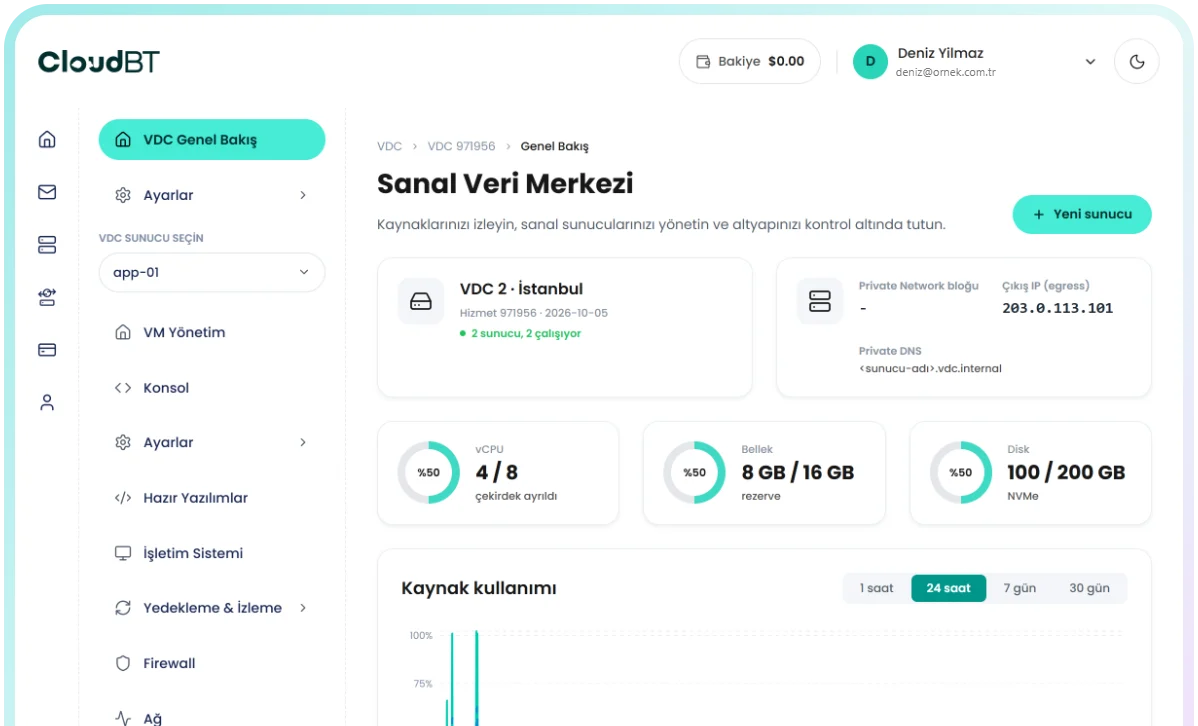

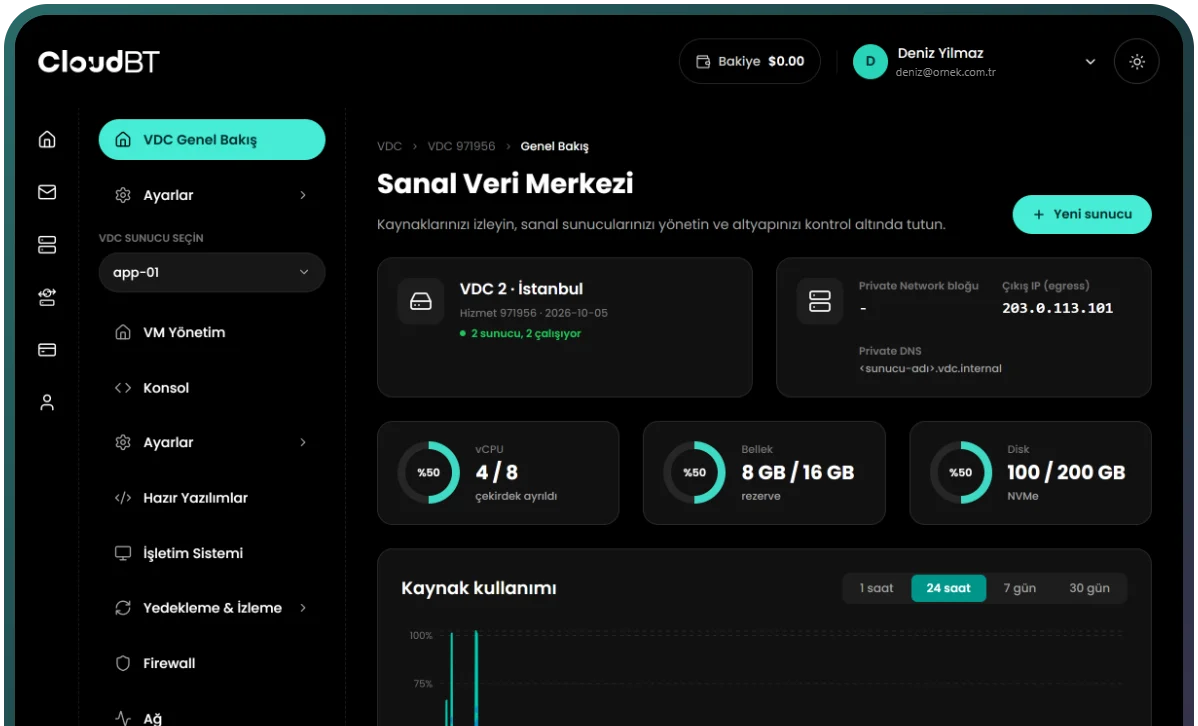
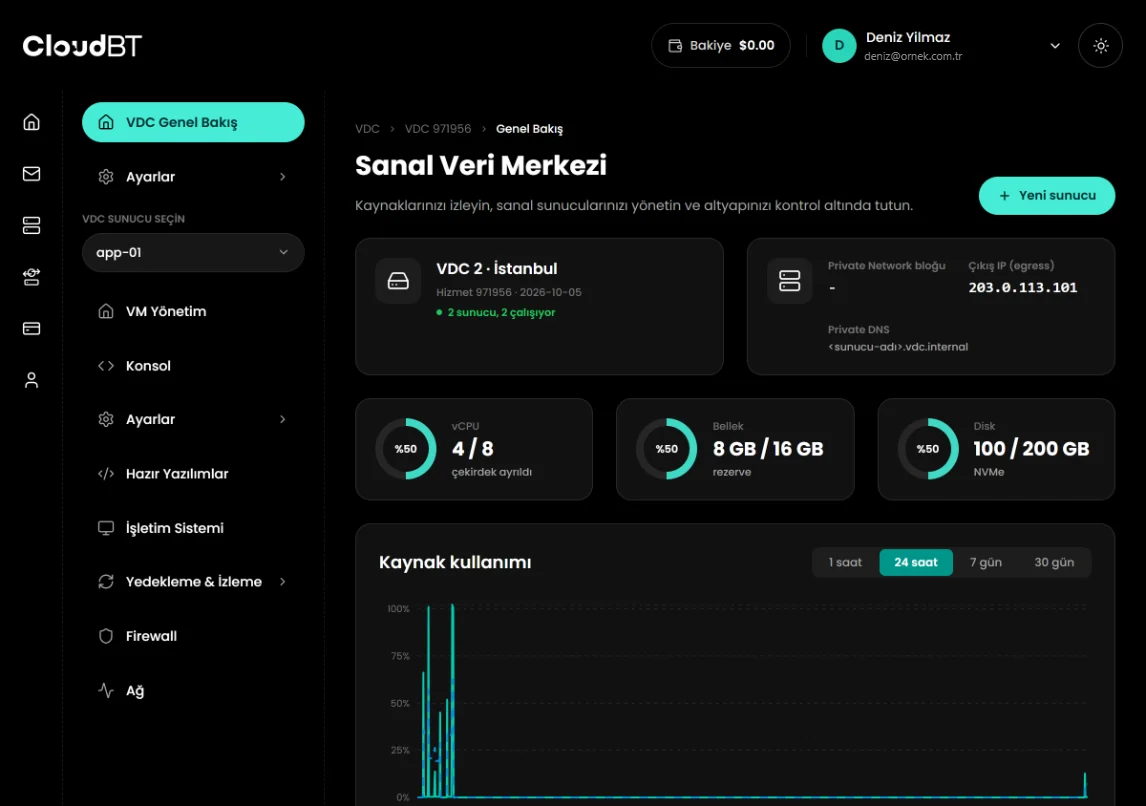
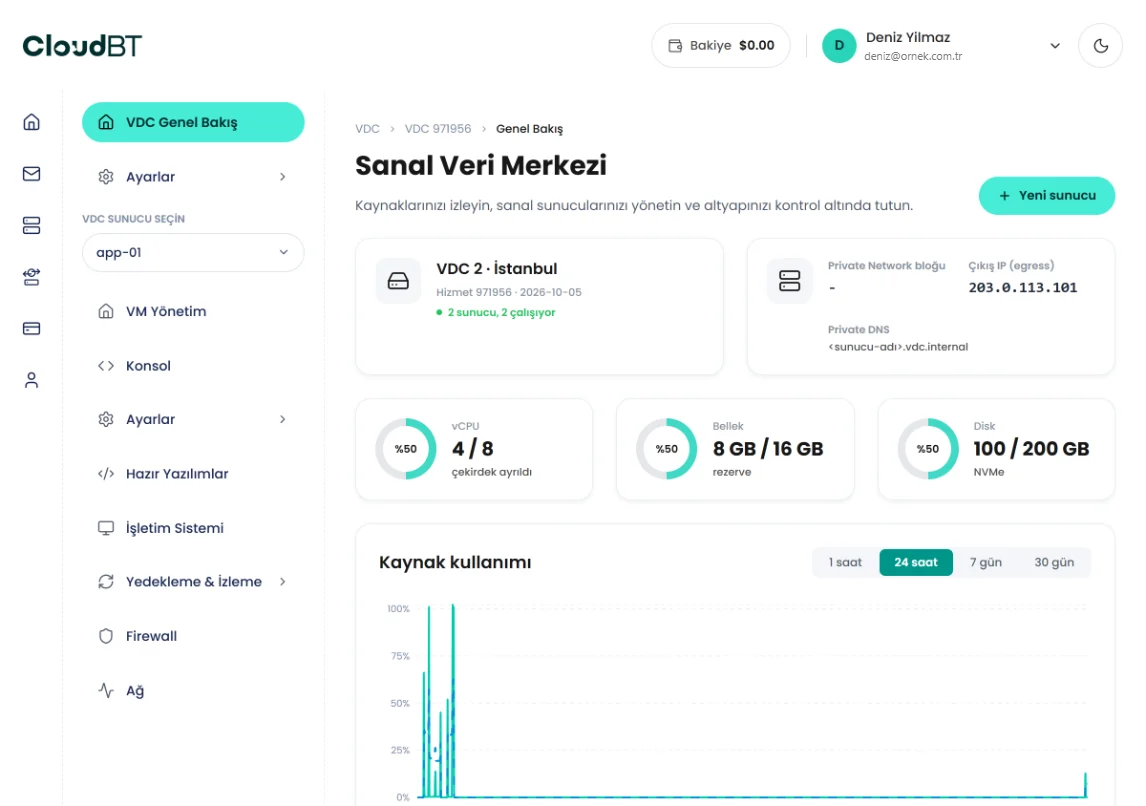
See the whole project at a glance instead of dealing with servers one by one.
Watch how much of the pool you use and each VM's CPU, memory and disk consumption in real time.
Bring up a new VM for a project or a test environment within minutes.
Private network, security groups, public IP assignment, VPN and load balancer in the same panel.
One pool, one invoice, one panel for teams that need more than one server.

All resources in one pool. Distribute them across VMs as needed; what one VM does not use is available to another.

Create a new virtual machine with a few clicks from the panel; the operating system installs automatically.

A private network for your project. VMs talk to each other with low latency without touching the internet.

Take a snapshot of each VM and keep a safe return point before big changes.

Full root on every VM. Automate everything through the REST API and CloudBT MCP.

Group-based firewall rules, secure access over WireGuard VPN and a site-to-site link to your office.

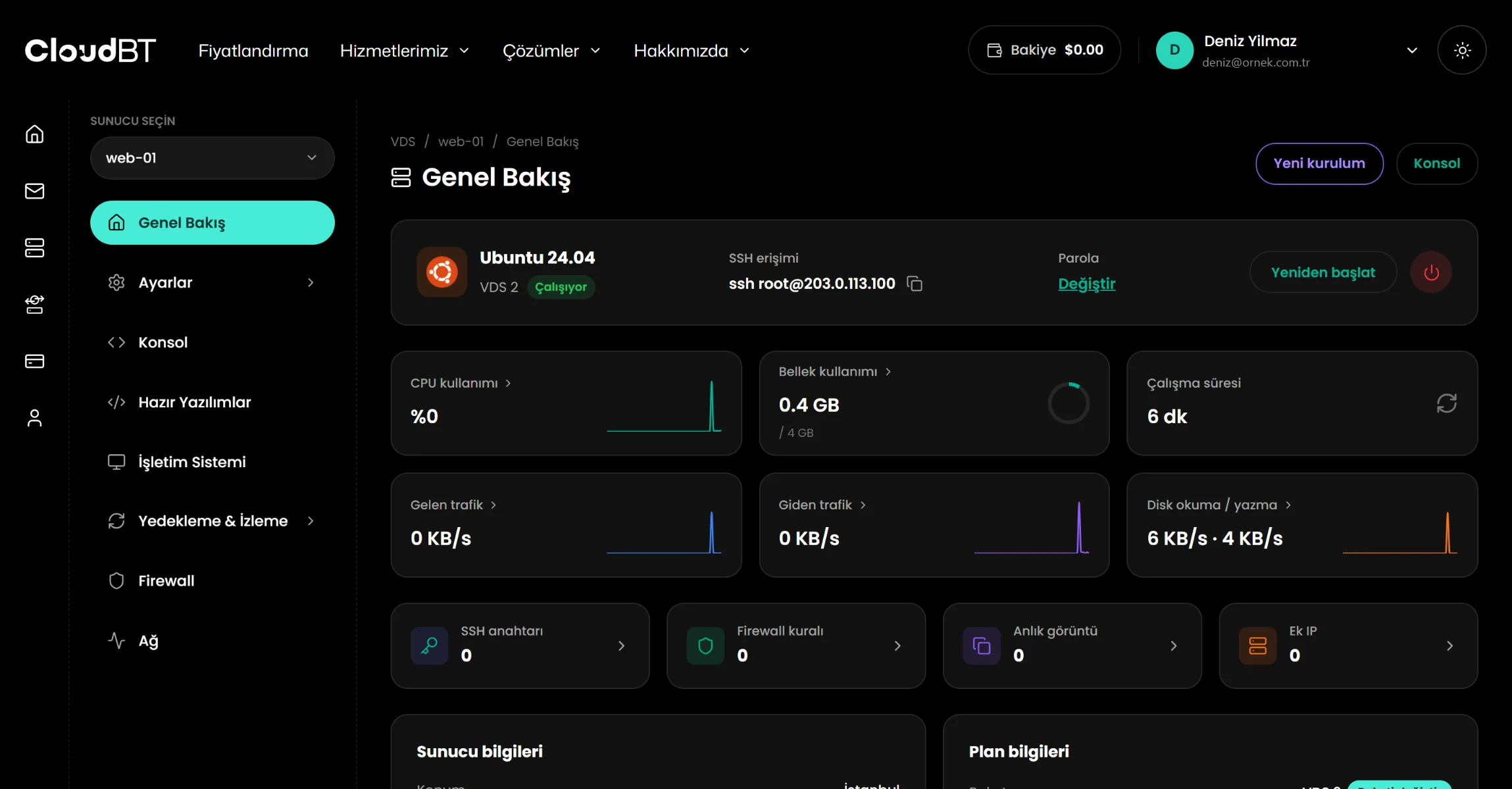
Manage your resource pool, your VMs and your private network and security group settings from a single panel.
Order Now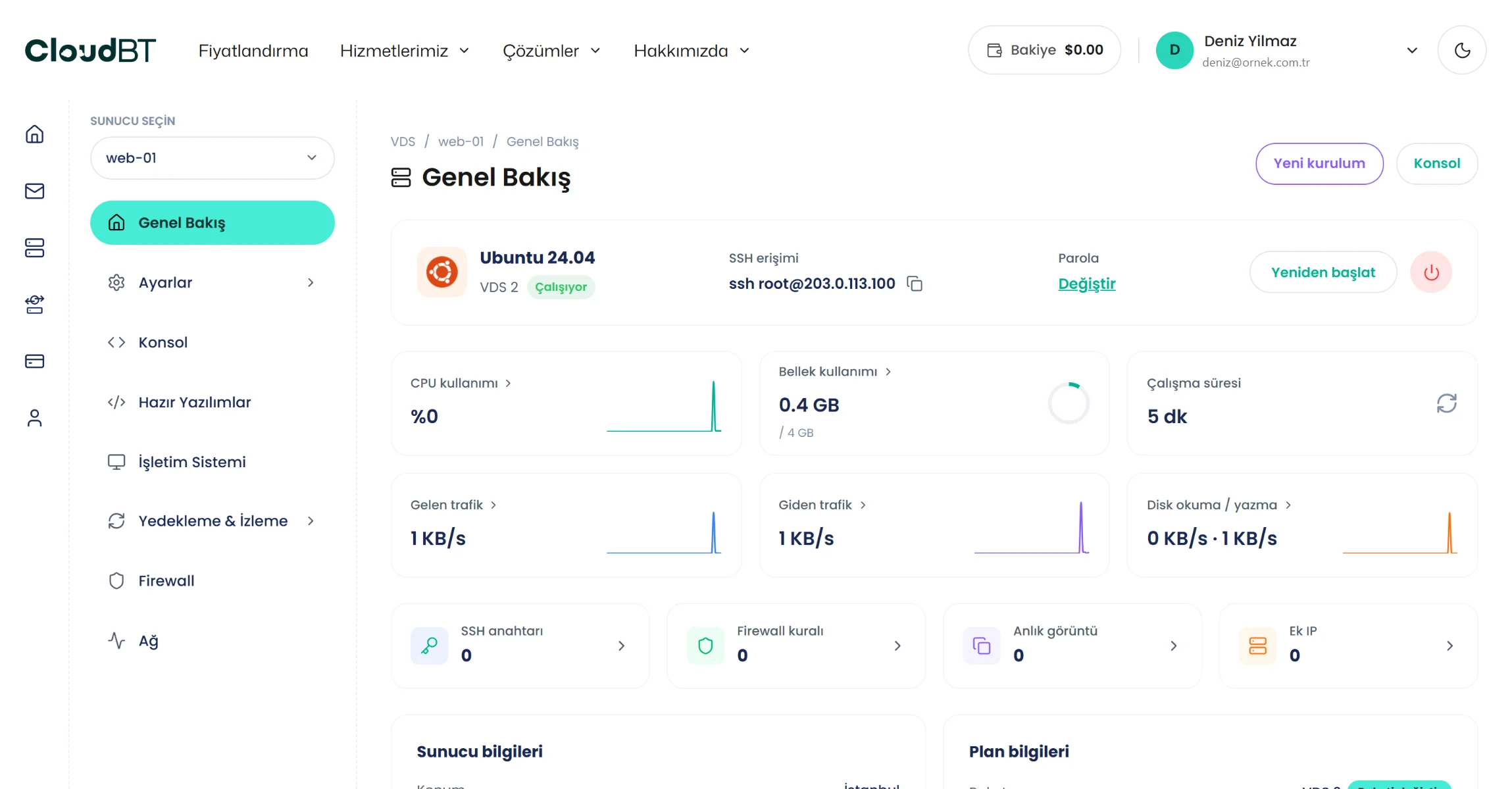
Our own hardware in the Equinix IL4 data center, Istanbul
See how a virtual data center brings speed and order to your work

Create separate, isolated VM environments for each client; manage the resources centrally from one pool.

Run web, API, database and cache layers on separate VMs that talk over the private network.

Set up and manage development, staging and production environments from the same pool within minutes.

Link your office network with a site-to-site VPN; run internal applications without exposing them to the internet.
Separate the layers that scale differently and keep everything that does not need the internet on the private network.
| Layer | Servers | Exposure |
|---|---|---|
| Web and API | 2 or more behind the load balancer | Public IP on the load balancer only |
| Database and cache | 1 or 2, memory-heavy | Private network only |
| Workers and automation | As many as the jobs need | Private network only |
| Staging | Small copies of the above | VPN access only |
Security groups let you say "web may talk to the database on port 5432, nothing else may" without touching each server's firewall.
A site-to-site VPN links your office network to the project, so internal applications (ERP, file servers, dashboards) are reachable without being exposed to the internet. Individual laptops connect with WireGuard; configuration files are generated in the panel.
Add servers until the quota is used, then move to a larger pool; existing servers and network settings are preserved. Each server has its own snapshots, console, firewall and one-click apps, exactly like a standalone VPS.
Single servers with the same hardware: VPS in Turkey
Three ways to run a multi-server stack in Turkey
| FEATURES | Several Standalone VPS | CloudBT Virtual Data Center | Hyperscaler VPC |
|---|---|---|---|
| Private network | Optional, per server | Included, per project | Included |
| Security groups, VPN, load balancer | Your own setup | Included | Billed separately |
| Creating servers | New order each time | Self-service within the quota | Self-service |
| Pricing | Per server | Per pool, fixed monthly | Per resource plus egress |
| Location | Istanbul | Istanbul | Nearest region usually Western Europe |
| Best for | A few independent servers | SaaS stacks, internal systems, agencies | Global, elastic workloads |
Define what your projects need and pick the ready-made resource pool plan that fits
Location
Istanbul (Equinix IL4, Türkiye)
The network and security components that come with your virtual data center
A private /24 network for your project. VMs talk to each other without leaving the data center.
Firewall rules applied to several VMs from one place.
Assign the IP quota in your plan to VMs directly or through NAT.
Secure access from your devices over WireGuard; link your office network to the project.
Distribute incoming traffic across several VMs so a single VM's load is never the problem.

Questions about the virtual data center, the resource pool and the network features.
As many as the plan's vCPU, memory, storage and IP quota allow, up to the server count stated in the plan. When the quota is used up, move to a larger pool; existing servers are preserved.
No. Private network, security groups, VPN and the load balancer are included in every virtual data center plan.
Yes, with a site-to-site VPN. Individual devices connect with WireGuard; configuration files are generated in the panel.
Your servers communicate over a private network inside the same facility. We measured about 0.9 ms to the gateway; application, database and cache can live on separate servers without a penalty.
Measured on October 5, 2026: 1.8 ms to Türk Telekom, 1.7 ms to TurkNet, 6.2 ms to Vodafone and 14.2 ms to Turkcell.
In the Equinix IL4 data center in Istanbul, on our own hardware.
Yes. Open a ticket from the panel in English or Turkish, around the clock. Server and network issues are handled by the engineers who run the platform.
By bank transfer (SWIFT or SEPA to our Turkish bank account). Card payments are being added. Your server is deployed automatically once the payment is confirmed.
No commitment. Choose monthly or yearly billing; if you do not renew, the service ends at the end of the period. Cancellation is a single step in the panel.

Burak A.
System administrator
Managing firewall rules and reverse DNS from the panel made my job easier. Thanks to the console I could reach the server even when SSH was down.

Zeynep T.
Product manager
The support team genuinely tries to understand the question; answers are specific to our case, not canned text.

Can Ö.
Founder
As someone who does not do servers, being able to use the panel was the deciding factor. I installed WordPress from the one-click apps.
VM creation, private network, security groups, VPN and load balancer settings in one panel.